
CRM & Sales
See every deal, and what it needs next.
A clear view of your sales process, from the first conversation to the signed deal, so you always know where you stand.
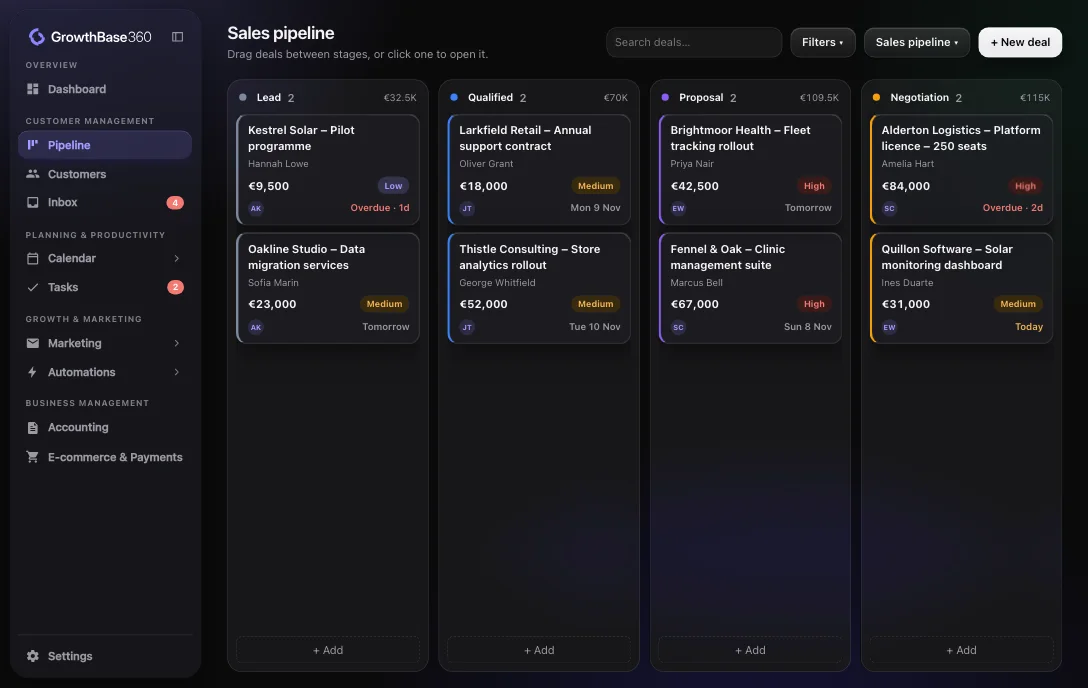
Visibility and control over the whole sales process
Know what is coming in, what is stuck and what you can expect to close.
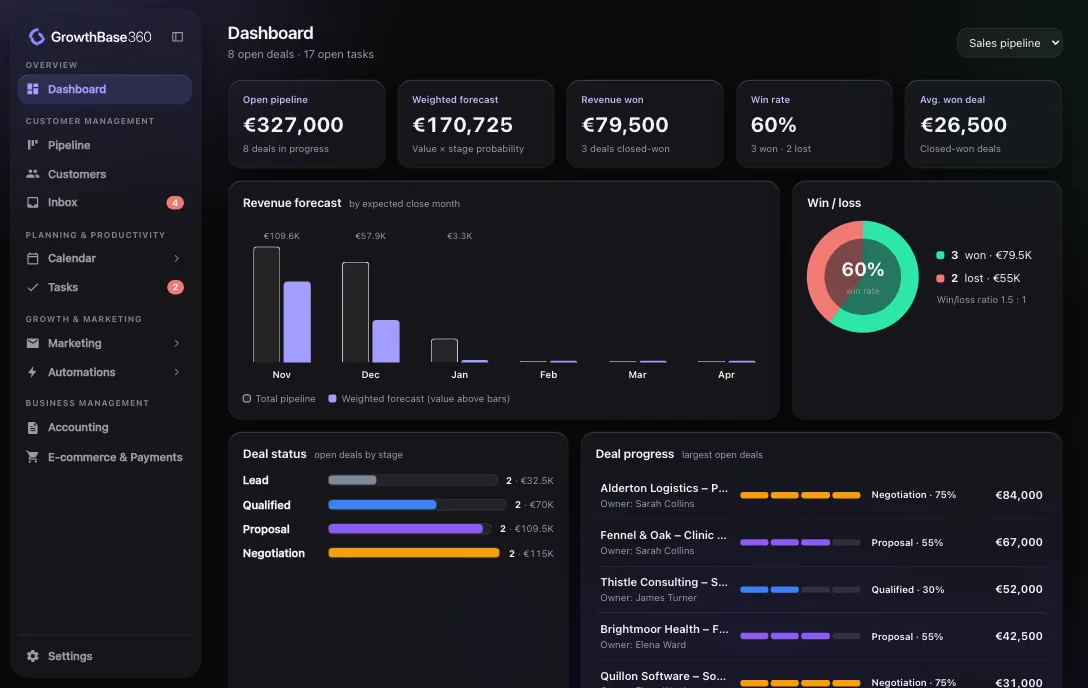
A dashboard that answers the first question of the day
See open pipeline, weighted forecast, revenue won, win rate and average deal size in one view.
- Revenue forecast by expected close month
- Win and loss comparison
- Open deals by stage
- Largest open deals and how far along they are
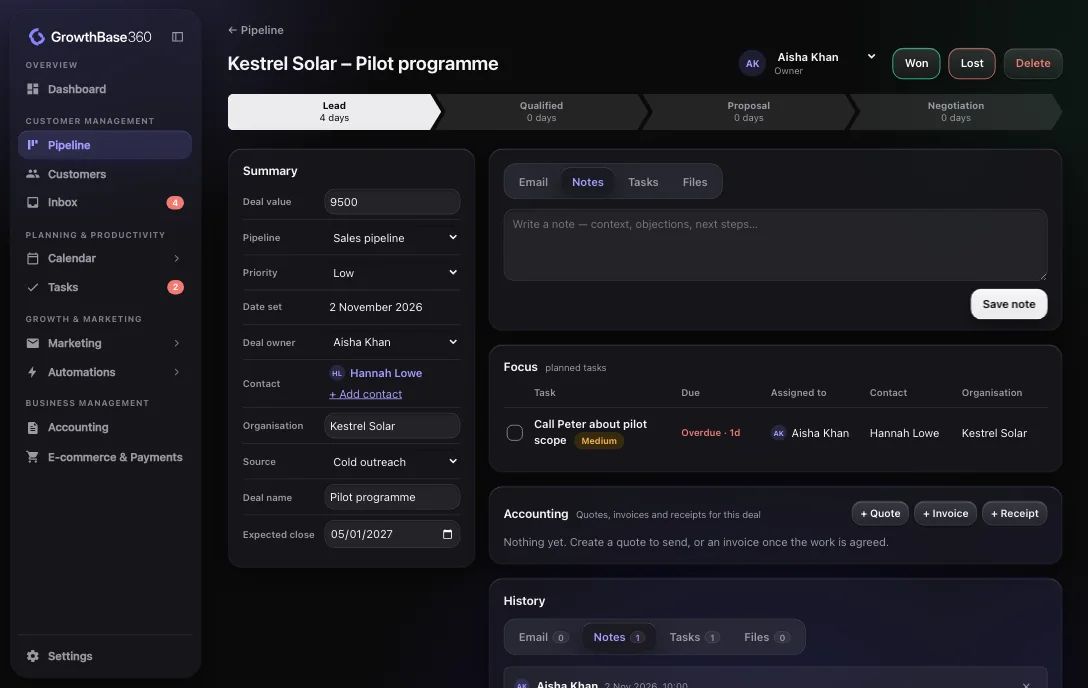
Everything about a deal on one page
Open a deal and see where it is, what has happened and what is due next.
- Stages with time spent in each
- Value, owner, priority, source and expected close
- Notes, emails, tasks and files
- A full history of what changed
- Quotes and invoices created from the deal
Main functionality
Built around how you sell
Multiple pipelines
Run separate pipelines for different products or sales processes.
Customisable stages
Name your own stages and set the probability of each one.
Drag-and-drop deals
Move a deal to its next stage by dragging it. Drop it on Won or Lost to close it.
Filters and saved views
Filter by owner, priority and more, then save the views you use most.
Won and lost tracking
Record outcomes and see your win rate and average won deal.
Tasks
See what is overdue, due today or due this week, and sort by priority or deal value.
Use cases
Who it helps
A founder doing the selling
Keep follow-ups out of your head and in a list that tells you what is due today.
A sales team
Share one pipeline, give each deal an owner and see the whole picture in the weekly review.
A business with several lines
Separate pipelines keep different sales processes apart while the dashboard still shows the numbers.
Connected
How it connects to the rest of GrowthBase360
Integrations
Relevant integrations
Send email from a deal using your own connected address.
FAQ
Frequently asked questions
Can I have more than one pipeline?
Yes. You can run several pipelines, each with its own stages, and switch between them on the pipeline and the dashboard.
How is the weighted forecast worked out?
Each stage has a probability. The forecast multiplies each open deal’s value by the probability of its stage and adds them up.
What happens when a deal is won or lost?
You mark it won or lost, the outcome is recorded with the date, and it counts towards your win rate. Automations can run when it happens.
Take control of your pipeline.
Start on the Free plan with up to 250 deals.