
Email Marketing
Send campaigns to the right people, from your own address.
Your CRM already knows who your customers are. Use it to decide who should hear from you.
Audiences
Audiences built from rules, not exports
An audience is a saved group of contacts that match rules you set, such as deal status, stage, owner or priority. It stays current as your CRM changes.
Example: High-priority opportunities
Include contacts whose deal and details match all of these rules:
- Deal status is Open
- Pipeline is Sales pipeline
- Priority is High
Anyone who has unsubscribed is skipped when the campaign is sent.
Campaigns
From first draft to sent
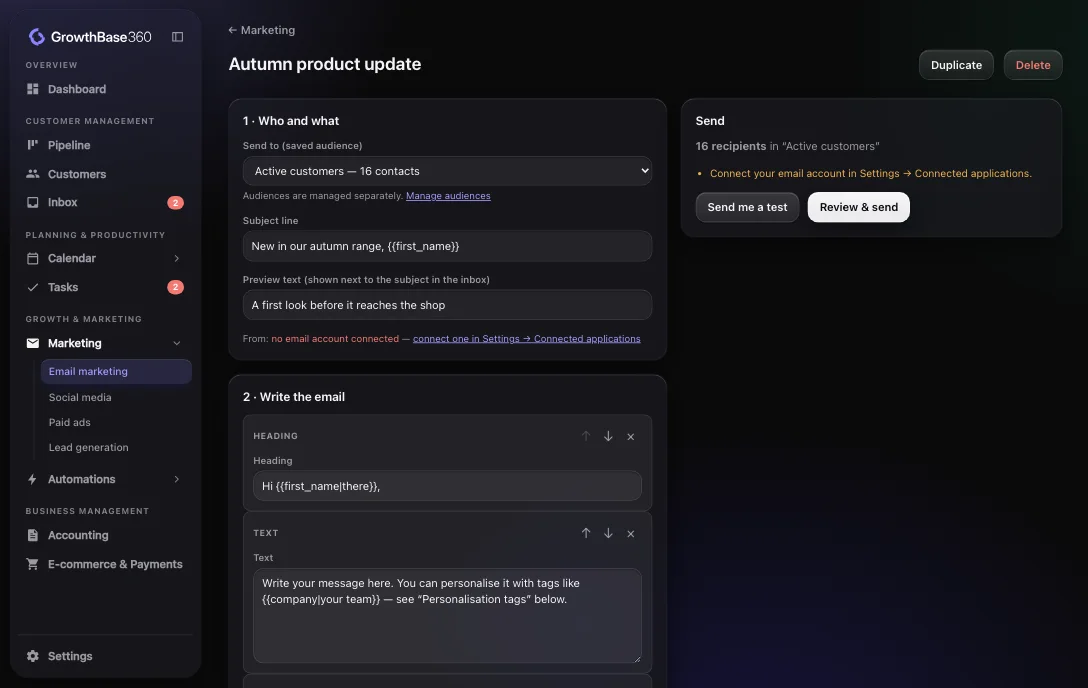
Choose who
Pick a saved audience and see how many contacts it includes.
Write it
Add headings, text and buttons as blocks, and personalise with tags.
Preview it
See it on desktop and mobile, and as it looks for a sample contact.
Send it
Send from your connected address. Unsubscribed people are skipped.
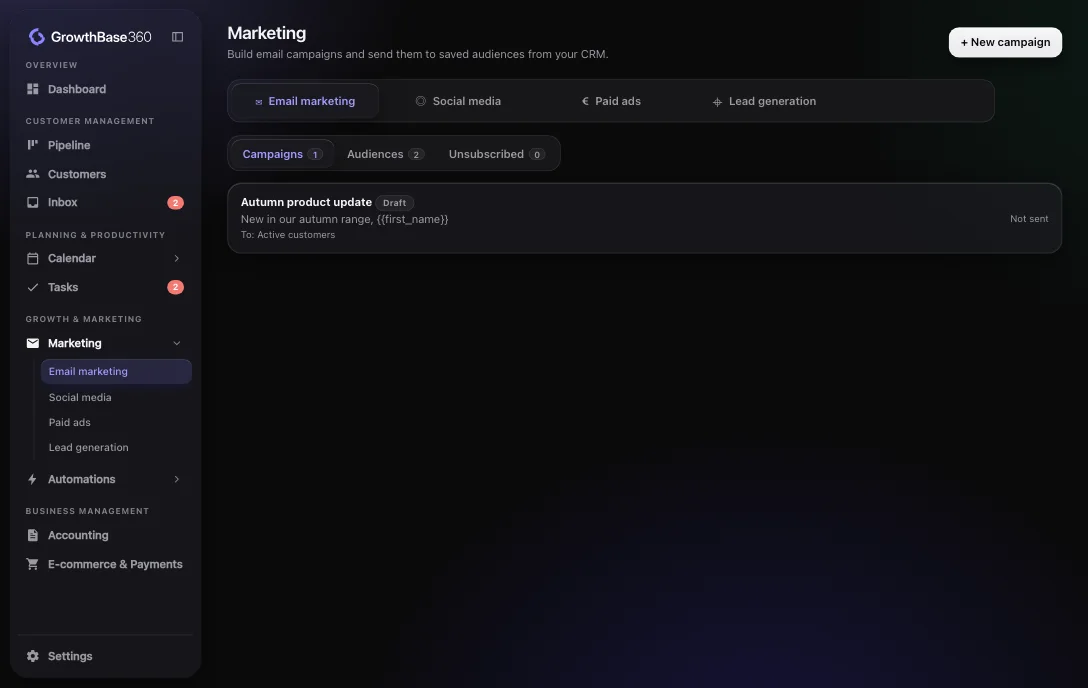
Manage every campaign in one list
See your drafts and sent campaigns, duplicate one that worked, and keep your audiences alongside them.
- Campaigns and audiences together
- Duplicate a campaign as a starting point
- A suppression list for people who opted out
Workflows
Follow up by itself
For one-to-one follow-ups, the automation builder has its own Send email step, which can run after a form submission, a deal change or a delay.
An email follow-up as an automation
Connected
How it connects to the rest of GrowthBase360
Integrations
Relevant integrations
Campaigns are sent through your own connected email account.
FAQ
Frequently asked questions
Which address do campaigns come from?
Your own connected email account. You connect it once under Connected applications.
How are unsubscribes handled?
Campaign emails include an unsubscribe link, and anyone on your suppression list is skipped when a campaign is sent.
Are detailed campaign analytics included?
GrowthBase360 records who a campaign went to and its status. We do not advertise open or click reporting as part of email marketing.
Reach customers without another tool.
Discover a smarter way to manage, market and grow your business.