
Unified Inbox
Every customer conversation, in one shared inbox.
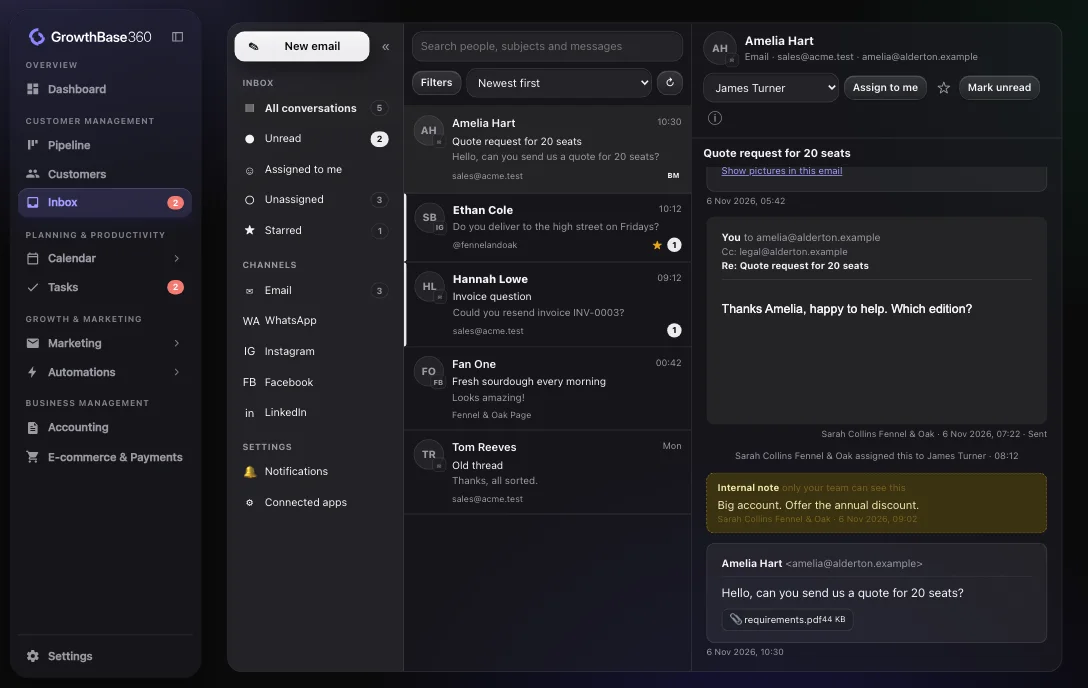
Your team sees the same conversations, knows who is handling what, and has the customer’s details beside every message.
Channels
One inbox for your channels
| Channel | What it does |
|---|---|
| Reply, reply all, forward, Cc and Bcc, attachments, through Gmail or Outlook | |
| Social messages and comments | Messages and comments from connected accounts, where the platform allows them |
| Connect a WhatsApp Business number through Meta’s sign-up |
Work as a team
Nobody has to ask who is answering. Everything that happens to a conversation is recorded.
- Assign or reassign, and the assignee is told
- Internal notes that are never sent to the customer
- A warning when someone else is writing a reply
- Star, mark unread, close, reopen and archive
- Search people, addresses, subjects and message text
Linked to your customers and deals
Senders are matched to your contacts by email or phone. From the conversation you can add a contact, link or create a deal, add a task and leave a note on the customer.
See Customer 360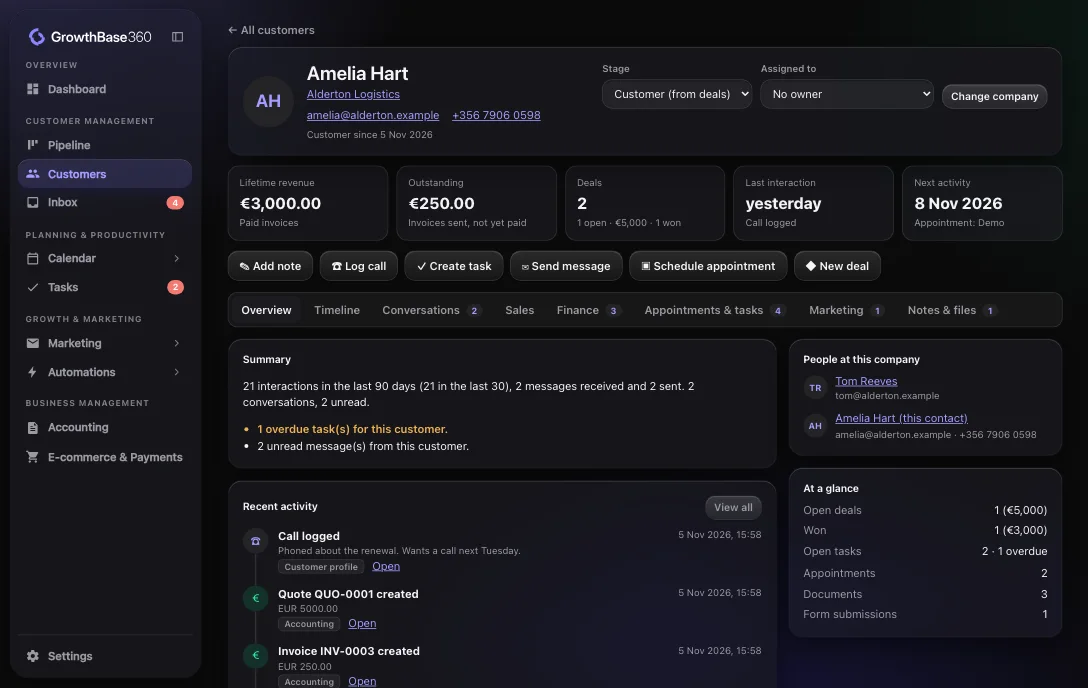
Safety
Careful with what comes in and goes out
Safe email display
Incoming HTML is cleaned and shown in a sandbox that cannot run scripts.
Pictures stay blocked
Remote images, including tracking pixels, load only when you choose.
Tokens stay on the server
Mailbox and social connections never reach the browser.
Connected
How it connects to the rest of GrowthBase360
Integrations
Relevant integrations
These connections bring conversations into the inbox.
FAQ
Frequently asked questions
Which email providers work?
Gmail, Google Workspace, Outlook and Microsoft 365, connected through our email provider, Nylas.
Can I connect WhatsApp?
You can connect a WhatsApp Business number through Meta’s own sign-up, from Settings under Connected applications.
Are remote images in emails shown?
They stay blocked until you choose to show them, which also stops tracking pixels from loading.
Answer customers as one team.
Discover a smarter way to manage, market and grow your business.